Online Barcode Scanner: The Complete Guide to Scanning Barcodes Easily
Barcodes are everywhere in modern life.
Walk into a supermarket, order a product online, visit a warehouse, receive a parcel, manage business inventory, or purchase an electronic device, and there is a good chance that a barcode will be involved somewhere in the process.
These small patterns of lines, numbers, or other machine-readable symbols contain information that can be interpreted by barcode-scanning technology.
Although dedicated barcode scanners have traditionally been associated with supermarkets, warehouses, and businesses, smartphones and web-based tools have made barcode scanning much more accessible.
An online barcode scanner can provide a convenient way for people to scan compatible barcodes using a device with a camera, depending on the capabilities of the website and browser.
For visitors to a website such as therabbbithole.co.za, a barcode scanner can be useful for far more than simply checking products in a shop. Consumers, small-business owners, students, online sellers, warehouse workers, researchers, and ordinary internet users may all find situations where quickly reading a barcode is useful.
What Is a Barcode Scanner?
A barcode scanner is a tool that reads information encoded in a barcode and converts it into information that a computer, smartphone, or other digital system can understand.
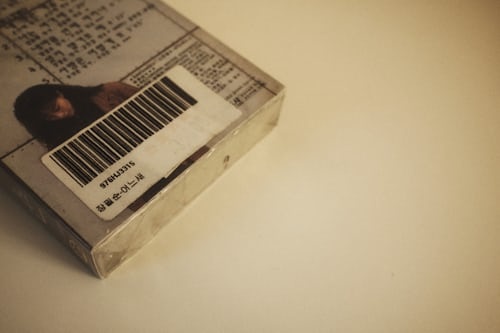
Traditional barcodes normally consist of a series of lines and spaces with different widths. Numbers may also be printed underneath the barcode so that humans can identify the encoded number.
When a scanner reads the barcode, it interprets the pattern and extracts the encoded data.
Depending on the type of barcode and the software being used, the result could be
- A product identification number
- An inventory number
- A serial number
- A tracking number
- A URL
- Text
- Other encoded information
Why Would Website Visitors Need a Barcode Scanner?
You don’t have to work in a supermarket or warehouse to benefit from barcode scanning.
Visitors to websites such as therabbbithole.co.za may encounter barcodes in many different situations.
For example, someone might have a product at home and want to quickly read its barcode rather than manually typing the number.
A small business owner might need to identify products while creating an inventory.
An online seller might need to capture product identification numbers when preparing product listings.
A student might be researching a product for an assignment.
Someone receiving a package could scan a barcode to capture information printed on the package.
The possibilities are extensive.
Barcode Scanning Without a Dedicated Scanner
One of the biggest advantages of modern online barcode scanners is convenience.
Historically, scanning a barcode generally required dedicated hardware.
Businesses still use professional scanners because they are designed for high-volume operations. However, casual users don’t necessarily need specialized hardware for occasional scanning.
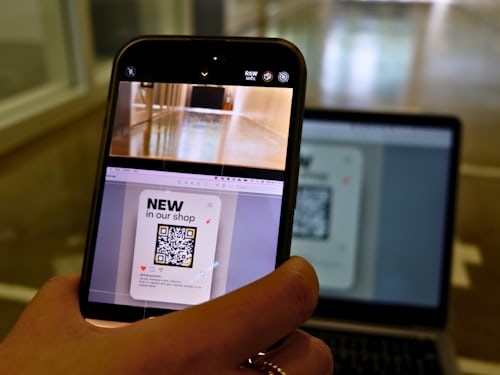
A compatible smartphone, tablet, or computer with a camera can potentially provide a convenient alternative when using a browser-based barcode scanning service that supports camera access.
This makes barcode scanning accessible to people who may only need the function occasionally.
How Does Barcode Scanning Work?
The basic process is relatively straightforward.
First, a camera captures an image of the barcode.
The scanning software analyzes the image and identifies the barcode’s distinctive pattern.
The software then determines which barcode standard is being used and interprets the encoded information.
Once the information has been decoded, it is displayed to the user.
The entire process can take only a few seconds when the barcode is clear and the device has suitable camera access.
Common Types of Barcodes
Not every barcode looks the same.
There are numerous barcode standards designed for different applications.
UPC
Universal Product Codes are commonly associated with retail products, particularly in North America.
EAN
European Article Numbers are widely used for retail products internationally.
Code 39
Code 39 is commonly associated with industrial and identification applications.
Code 128
Code 128 can encode a large amount of information efficiently and is frequently used in logistics and supply-chain environments.
ITF
Interleaved 2 of 5 is used in a variety of industrial and commercial applications.
QR Codes
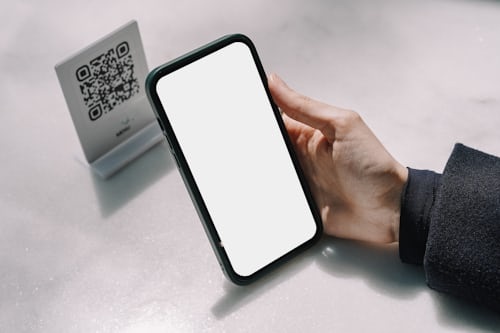
QR codes are technically two-dimensional barcodes rather than traditional one-dimensional barcodes.
They can store substantially more information, including
- Website addresses
- Text
- Contact information
- Payment-related information
- Event information
A scanner must support the specific barcode format it is being asked to read.
Why Businesses Need Barcode Scanning
Barcode technology has become particularly important in business because it reduces the amount of information that employees need to enter manually.
Imagine a warehouse containing thousands of products.
Instead of manually typing every product identification number, workers can scan each barcode.
This can improve:
- Inventory management
- Product identification
- Stock counting
- Order fulfillment
- Shipping
- Receiving
- Record keeping
For small businesses, an online barcode scanner can also be useful for occasional tasks where purchasing dedicated scanning equipment may not be practical.

Barcode Scanning for Online Sellers
Online sellers can also benefit from barcode scanning.
When creating product listings, sellers may need to work with product identification numbers such as UPCs, EANs, or other identifiers.
Instead of manually entering these numbers, scanning can reduce typing and transcription errors.
A seller could potentially scan a product’s barcode and then use the resulting number when organizing product information.
This can be particularly helpful when processing multiple products.
Barcode Scanning for Personal Use
Barcode scanning isn’t only for businesses.
Consumers can use barcode scanners for various personal tasks.
For example, you might use one to:
- Record products you own
- Organize household items
- Capture product identification numbers
- Compare product information
- Create a personal inventory
- Record items for insurance documentation
- Research products
- Organize collectibles
A barcode scanner can therefore function as a simple data-capture tool.
How to Use the Barcode Scanner on Therabbbithole.co.za
The barcode scanner on therabbbithole.co.za can be used to scan compatible barcodes through the website, subject to the capabilities of the user’s device and browser.
The general process is straightforward.
Step 1: Open the Barcode Scanner
Visit the Barcode Scanner tool on therabbbithole.co.za using a compatible browser.
If you’re using a smartphone, opening the tool on the phone can be particularly convenient because the device already has a built-in camera.
Step 2: Give Camera Permission
If the scanner uses your device’s camera, your browser may request permission to access it.
Allow camera access if you want to scan a physical barcode.
For privacy reasons, only grant camera permissions to websites you trust.
Step 3: Position the Barcode
Hold your phone or camera over the barcode.
Try to keep the barcode:
- Clearly visible
- Properly illuminated
- Within the camera frame
- Relatively steady
Avoid excessive glare, shadows, or reflections.

Step 4: Allow the Scanner to Read
Once the barcode is clearly visible, the scanner can attempt to identify and decode it.
Depending on the barcode format and the tool’s supported standards, the result may appear automatically.
Step 5: Use the Scanned Information
After the barcode has been successfully decoded, you can use the resulting information for your intended purpose.
You might copy the number into:
- A spreadsheet
- Inventory software
- Product records
- A website
- A document
- A research project
The scanner is therefore primarily a data-capture tool.
It should not automatically be assumed that scanning a product barcode will provide complete product information. A barcode generally identifies or encodes information; a separate product database may be necessary to look up details such as price, description, manufacturer, or availability.
What If You Cannot Scan a Barcode?
Several factors can prevent successful scanning.
The barcode may be:
- Damaged
- Blurry
- Too small
- Poorly printed
- Covered by glare
- Partially obstructed
- Outside the scanner’s supported formats
Your camera can also affect results.
For better scanning, try moving the device slightly closer or further away and ensure the barcode is well lit.
If a physical barcode is badly damaged, manually entering the printed number may be necessary.
Advantages of Using an Online Barcode Scanner
1. Convenience
You don’t necessarily need dedicated scanning hardware for occasional use.
2. Accessible From Multiple Devices
A browser-based scanner may be accessible through compatible:
- Smartphones
- Tablets
- Laptops
- Desktop computers
Camera availability and browser support will determine what works on a particular device.
3. Saves Time
Scanning can be considerably faster than manually typing long identification numbers.
4. Reduces Typing Errors
Manually entering a long sequence of numbers creates opportunities for mistakes.
Scanning can reduce those transcription errors when the barcode is read correctly.
5. Useful for Small Businesses
Small businesses that only occasionally need barcode scanning may find an online tool useful without immediately investing in dedicated hardware.
6. Useful for Inventory
Scanning products can make inventory-related tasks more efficient.
7. No Specialized Installation
A browser-based tool can be more convenient than installing dedicated desktop software, depending on the use case.

Disadvantages of Online Barcode Scanners
Online barcode scanners also have limitations.
1. Internet Access May Be Required
Because the tool operates through a website, an internet connection may be necessary.
2. Camera Quality Matters
A poor-quality camera can make scanning difficult.
3. Not Every Barcode Is Supported
Different barcode formats require appropriate decoding support.
4. Physical Scanners Can Be Faster
Businesses scanning hundreds or thousands of products may find dedicated barcode scanners more efficient.
5. Lighting Can Affect Scanning
Dark environments, reflections, and glare can interfere with barcode recognition.
6. Privacy Considerations
Users should understand how a website handles camera access and scanned information before using an online scanner.
A reputable tool should clearly explain its data practices.
Online Barcode Scanner vs. Dedicated Scanner
Which option is better depends on your needs.
An online scanner is generally more convenient for occasional scanning.
A dedicated scanner may be better for:
- Supermarkets
- Warehouses
- Retail stores
- Distribution centers
- High-volume inventory operations
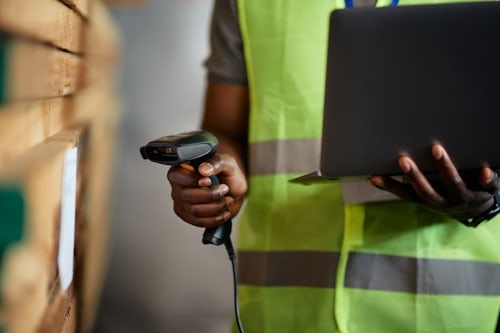
Dedicated scanners are designed for speed and repetitive use.
For an individual who only needs to scan a barcode occasionally, however, using a browser-based scanner can be considerably more convenient.
Top 10 Online Barcode Scanner Tools
There are numerous barcode-scanning services and applications available online. Here are nine established options to consider, followed by therabbbithole.co.za as the tenth.
1. ZXing
ZXing (Zebra Crossing) is one of the best-known open-source barcode-processing projects. It supports numerous barcode formats and has been widely used as a foundation for barcode-reading applications.
2. Dynamsoft Barcode Reader
Dynamsoft Barcode Reader provides barcode-reading technology designed for applications and business environments. It supports multiple barcode formats and scanning scenarios.
3. Scandit
Scandit provides barcode scanning technology aimed particularly at businesses, retail, logistics, healthcare, and other professional environments.
4. Cognex
Cognex Barcode Readers offers barcode-reading solutions designed for industrial and commercial applications, including manufacturing and logistics.
5. TEC-IT Online Barcode Scanner
TEC-IT Online Barcode Scanner provides online barcode-related utilities and supports barcode technologies used in different applications.
6. Aspose. Barcode
Aspose. BarCode provides online barcode recognition and barcode-processing tools that can be used to decode supported barcode images.
7. Inlite Barcode Reader
Inlite Barcode Reader provides an online service for recognizing barcodes from uploaded images.
8. Barcode Lookup
Barcode Lookup provides barcode-related product lookup services, allowing users to search product information using barcode numbers.
9. Online Barcode Reader
Online Barcode Reader provides browser-based barcode recognition capabilities for supported barcode images.
10. Therabbbithole.co.za
The barcode scanner on therabbbithole.co.za provides website visitors with a convenient place to access barcode-scanning functionality without necessarily needing specialized scanning hardware.
It can be particularly useful for visitors who need to capture barcode information for personal projects, product organization, inventory tasks, research, or other everyday purposes.
Tips for Getting Better Barcode Scans
You can improve scanning reliability by following a few simple practices.
Keep the Barcode Flat
If possible, position the product or label so that the barcode isn’t severely curved.
Use Good Lighting
Adequate lighting makes it easier for the camera to distinguish the barcode’s lines.
Avoid Glare
Reflections from glossy packaging can interfere with scanning.
Keep the Camera Steady
Holding the device still allows the scanner more time to identify the barcode.
Don’t Cover the Barcode
Make sure the complete barcode is visible.
Try Different Distances
If the scanner isn’t recognizing the barcode, slowly move the camera closer or further away.
Is an Online Barcode Scanner the Same as a QR Code Scanner?
Not necessarily.
Although QR codes are technically a type of two-dimensional barcode, barcode-scanning tools vary in what they support.
Some scanners support traditional one-dimensional barcodes such as EAN and UPC.
Others support QR codes and several two-dimensional formats.
Therefore, always check which barcode formats a particular scanner supports before relying on it.
Final Thoughts
An online barcode scanner is a practical digital utility that can make capturing barcode information significantly easier.
You don’t necessarily need to operate a retail store, warehouse, or e-commerce business to benefit from barcode scanning. Consumers can use it for product research and personal organization, while students, researchers, small-business owners, online sellers, and administrators can use it for a wide range of information-management tasks.
For visitors to therabbbithole.co.za, having a barcode scanner available provides another useful browser-based utility that can be accessed when the need arises.
Whether you’re scanning a product in your home, recording inventory for a small business, capturing product identification numbers, or simply experimenting with barcode technology, an online scanner can save time and reduce the need for manual data entry.
As with any online tool, users should pay attention to browser permissions, supported barcode formats, privacy practices, and the reliability of the service they choose. For occasional scanning, however, a web-based barcode scanner can be a convenient addition to anyone’s collection of online productivity tools.